Getting Started with React: A Practical Guide
React is a JavaScript library for building user interfaces. If you've been putting off learning it, this is the guide I wish existed when I started.
The core idea
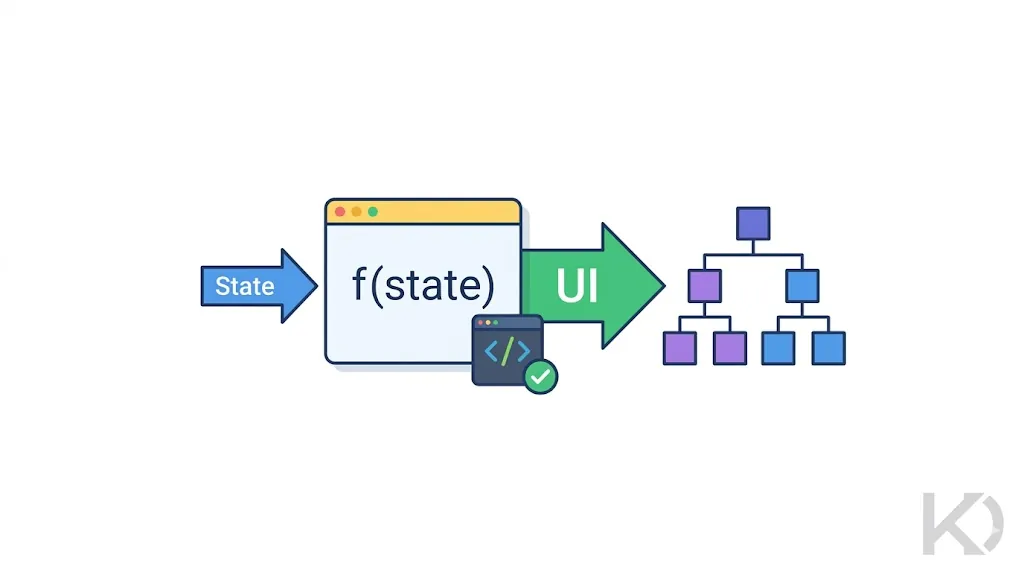
React's fundamental concept is simple: your UI is a function of your state.
UI = f(state)
Given the same state, your UI will always look the same. Change the state, and React figures out the minimal set of DOM updates needed to reflect that change. That's it — everything else is just details.
Setting up a project
The fastest way to get started in 2025 is with Vite:
npm create vite@latest my-app -- --template react
cd my-app
npm install
npm run dev
You'll have a working React app running at http://localhost:5173 in under a minute.
Components
Everything in React is a component — a function that returns JSX (an HTML-like syntax that compiles to JavaScript).
function Greeting({ name }) {
  return <h1>Hello, {name}!</h1>;
}
Components are composable. You build complex UIs by combining small, focused components.
State with useState
State is data that can change over time, causing the UI to re-render.
import { useState } from 'react';

function Counter() {
  const [count, setCount] = useState(0);

  return (
    <div>
      <p>Count: {count}</p>
      <button onClick={() => setCount(count + 1)}>Increment</button>
    </div>
  );
}
Key rules:
- Never mutate state directly (
state.value = xis wrong) - Always use the setter function (
setState(newValue)) - State updates trigger a re-render
Side effects with useEffect
useEffect handles things that happen outside the render cycle — API calls, subscriptions, timers.
import { useState, useEffect } from 'react';

function UserProfile({ userId }) {
  const [user, setUser] = useState(null);

  useEffect(() => {
    fetch(`/api/users/${userId}`)
      .then(res => res.json())
      .then(data => setUser(data));
  }, [userId]); // re-runs when userId changes

  if (!user) return <p>Loading...</p>;
  return <h2>{user.name}</h2>;
}
Thinking in components
When you look at a UI, ask:
- What are the data needs?
- What can change over time? → that's state
- Where does each piece of state live? → the lowest common ancestor component
What to learn next
Once you're comfortable with components, state, and effects, explore:
| Topic | Why it matters |
|---|---|
| React Router | Multi-page navigation |
| Tailwind CSS | Fast, utility-first styling |
| React Query | Server state management |
| TypeScript | Type safety for large projects |
The best way to learn React is to build something real. Pick a small project — a todo list, a weather app, anything — and build it. The documentation at react.dev is excellent; use it constantly.